Detect Across 18 Modules
YARA, heuristics, persistence, processes, rootkits, vulnerable drivers, supply-chain and more in a single pass, correlated against live OSINT threat-intel feeds and ranked by severity.
Windows Threat Hunting and Triage
An open-source tool that helps you quickly understand what is happening on a Windows endpoint. Eighteen scan modules surface persistence, processes, YARA hits, rootkits, vulnerable drivers, supply-chain risks, and OSINT threat-intel, with every finding tagged with its MITRE ATT&CK technique. Then act with one-click process kill and an automated quarantine engine.
Detection, response, and alerting in one tool, not three.
YARA, heuristics, persistence, processes, rootkits, vulnerable drivers, supply-chain and more in a single pass, correlated against live OSINT threat-intel feeds and ranked by severity.
One-click process kill (with PID confirmation) plus an auto-quarantine engine gated by a two-stage trust system, so signed and trusted paths are never touched.
Every finding is tagged with its MITRE ATT&CK technique, then pushed to Slack or Discord webhooks and Microsoft Sentinel, all while running alongside Windows Defender.
Run the installer or extract the portable build and double-click WRAITH.exe on any Windows 10/11 machine. The .NET runtime is bundled, with no SDK or Python to install.
Hit EXPECTO PATRONUM and all 18 modules sweep the host: processes, persistence, YARA, rootkits, vulnerable drivers, threat-intel and more.
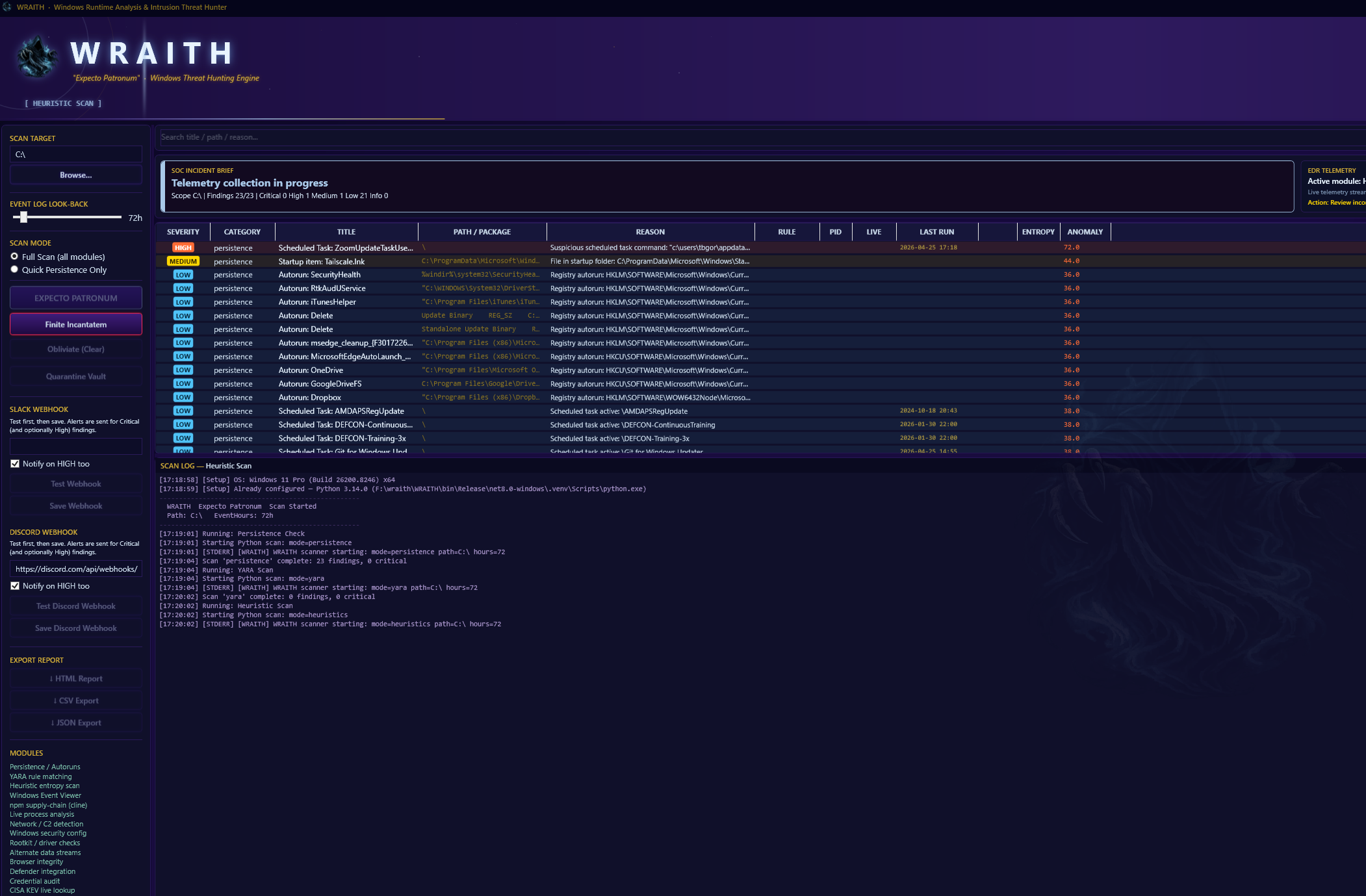
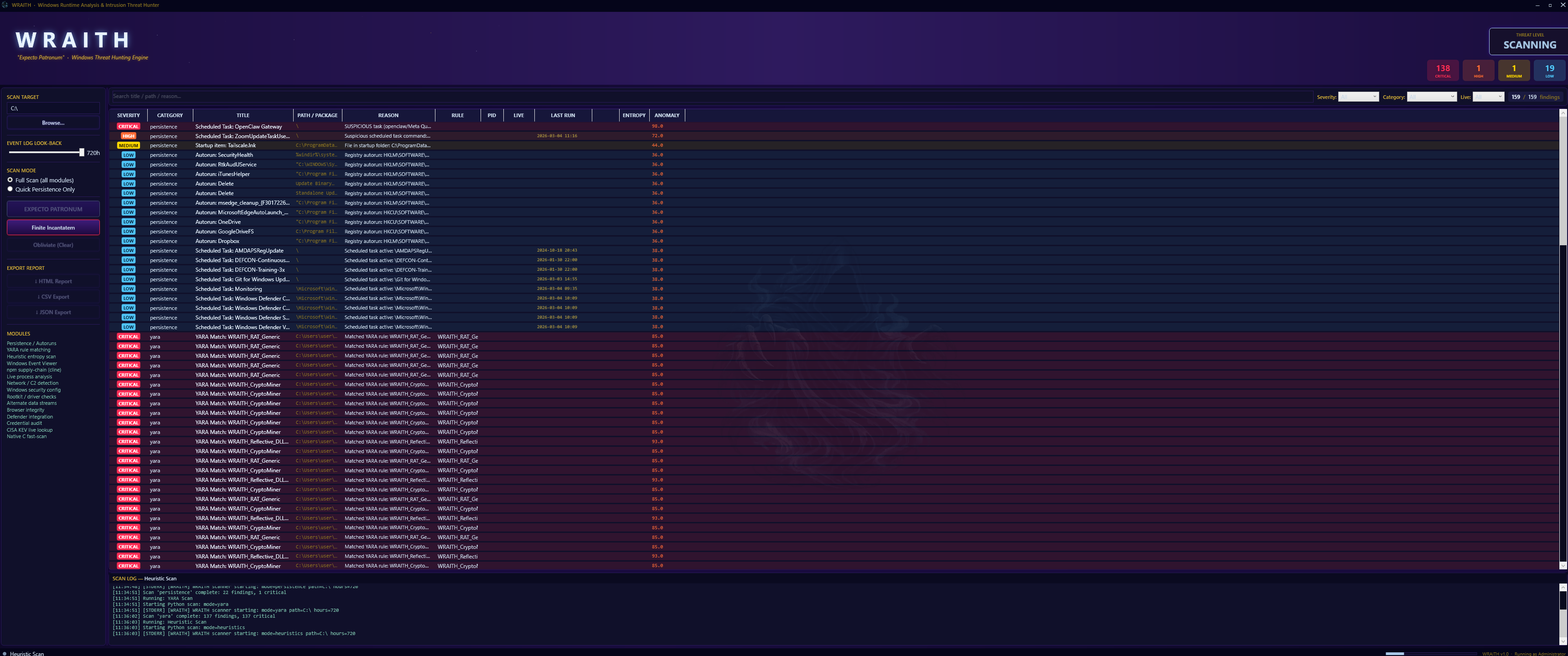
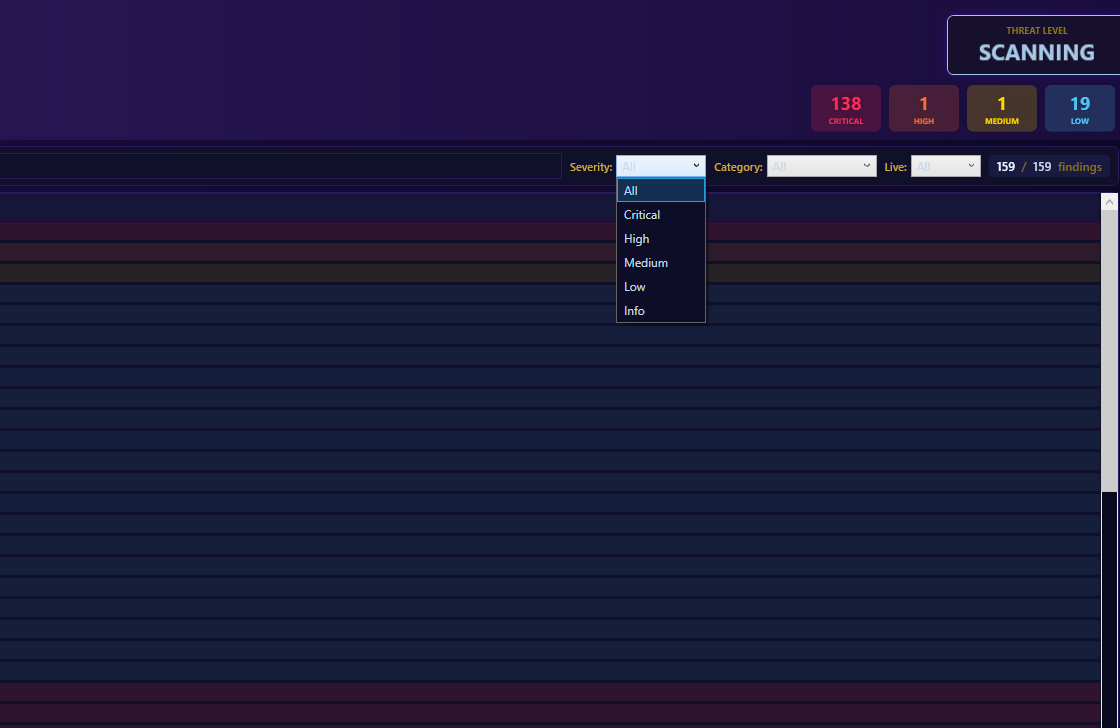
Findings stream into one dark-themed dashboard, ranked by severity. Filter from CRITICAL to INFO in real time without re-running.
Kill live processes, auto-quarantine confirmed threats behind trust gates, and push alerts to Slack, Discord, or Microsoft Sentinel.
› WRAITH.exe
✓ runtime bundled · no SDK · elevated (admin)
› EXPECTO PATRONUM
18 modules. ATT&CK-tagged. Ranked by severity. One dashboard.
Eighteen scan modules, each targeting a specific area of Windows host investigation, so you can move through triage systematically.
Run signature rules against host artifacts to catch known threat families (APT, RATs, webshells, and malicious scripts) during triage.
Entropy analysis, obfuscated command detection, and suspicious parent-child process trees flag activity that no signature covers.
Enumerate registry Run keys, scheduled tasks, startup folders, services, and WMI subscriptions to find what survives a reboot.
Spot injected threads, hollowed images, unbacked memory, and unsigned binaries running from unusual paths.
Surface outbound connections to suspicious ranges, unexpected listening ports, and unusual DNS activity.
Parse and filter Windows event logs across a configurable look-back window to surface logon anomalies and system changes.
Cross-reference installed software against CISA's live Known Exploited Vulnerabilities catalog to flag actively-targeted software.
200+ indicators across npm, NuGet, and AI/ML ecosystems: typosquats, dependency confusion, API-key harvesters, and cryptominer drops.
Review firewall state, Defender status, audit policy gaps, and UAC configuration to find weakened defenses.
Hunt SSDT / IDT hooks, hidden drivers, and DKOM object-unlinking indicators that hide activity from the OS.
Inspect NTFS Alternate Data Streams, a classic hiding place for payloads that standard tools overlook.
Surface SAM / LSA / DPAPI anomalies and plain-text credential indicators left in memory.
Review suspicious extensions, modified hosts files, and malicious bookmark indicators across major browsers.
Runs alongside Windows Defender, surfacing quarantined items and threat history in the same feed.
Cross-reference loaded kernel drivers against the LOLDrivers catalog to catch BYOVD: signed-but-vulnerable drivers used to disable EDR or escalate privileges.
Match active outbound connections against the live Tor exit-node list to expose C2 channels and data exfiltration hiding behind Tor.
Correlate connections, DNS, and file hashes against DigitalSide OSINT feeds: malicious IPs, domains, URLs, and hashes refreshed daily.
Nessus-style local checks: missing patches and EOL, privilege-escalation paths, weak service permissions, and hardening gaps (Secure Boot, VBS, Credential Guard).
A dark-themed WPF dashboard built for fast analyst decisions under pressure.
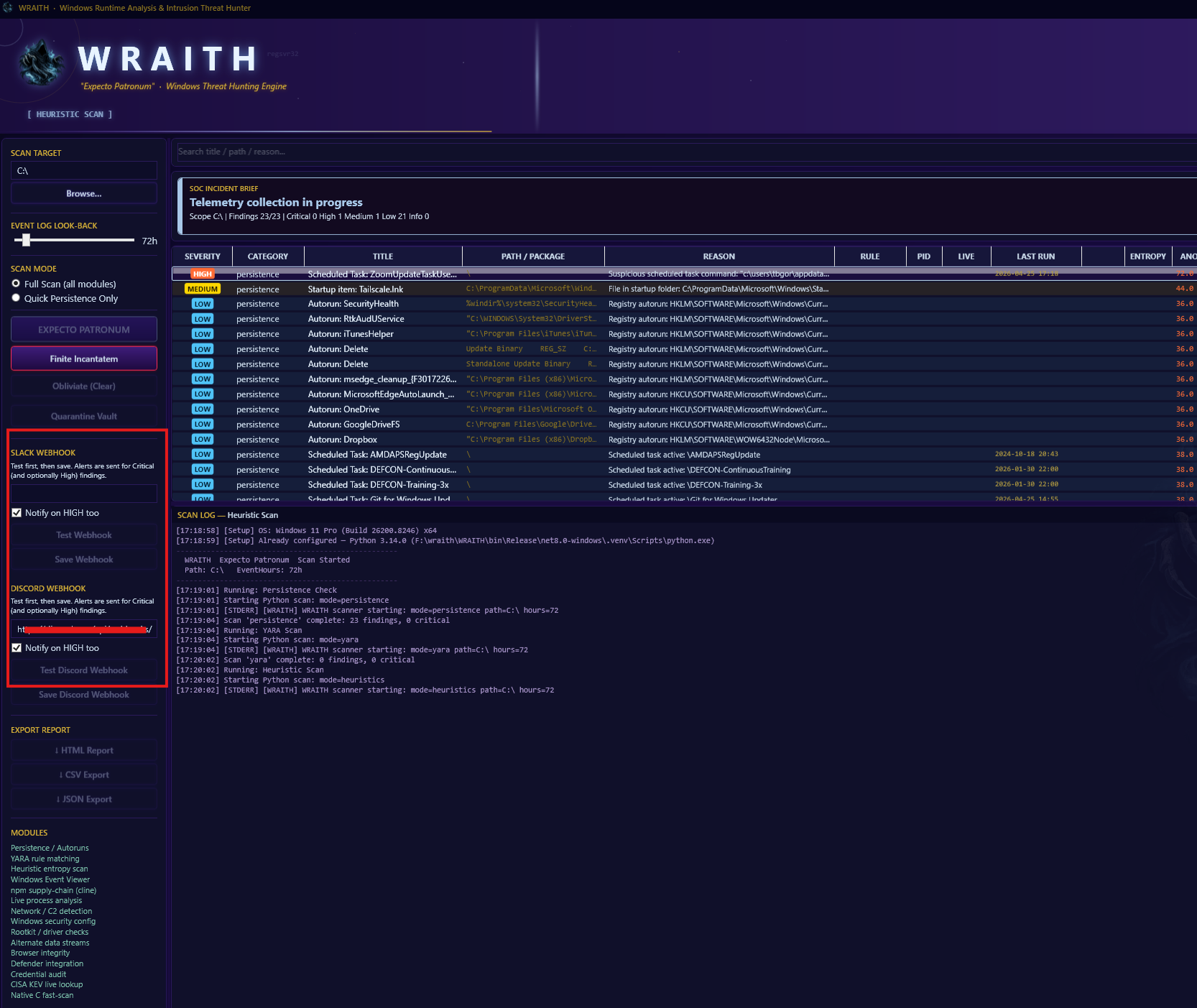
WRAITH started from a real frustration: doing Windows triage meant jumping between a dozen different tools, manually pulling registry keys, grepping through event logs, and hoping you caught everything that mattered. It takes too long, and it's easy to miss things when you are working fast under pressure.
This tool pulls the most important Windows artifacts together in one place. Running processes, persistence mechanisms, browser history, event log entries, and YARA hits. It surfaces them all in a structured format so you can spend your time thinking about what the data means, not hunting for where the data lives.
WRAITH is not trying to replace your judgment as an analyst. It is trying to get you to useful information faster. The goal is simple: you open it, you see what is on the machine, and you decide where to dig next. No noise, no fluff.
It's built for the people who actually do this work, by people who have done this work. Open source, and focused on the job.
Areas we are actively working on and plan to ship in upcoming releases.
A commercial signing certificate so Windows recognizes WRAITH as a trusted publisher and the SmartScreen prompt goes away.
Unified timeline view correlating event log entries, persistence changes, and process activity.
Secure remote data collection from Windows endpoints for centralized triage workflows.
Additional artifact parsers (prefetch, shimcache, and amcache) to widen coverage during deep-dive investigations.